Collector - Obsidian Quick Capture for macOS
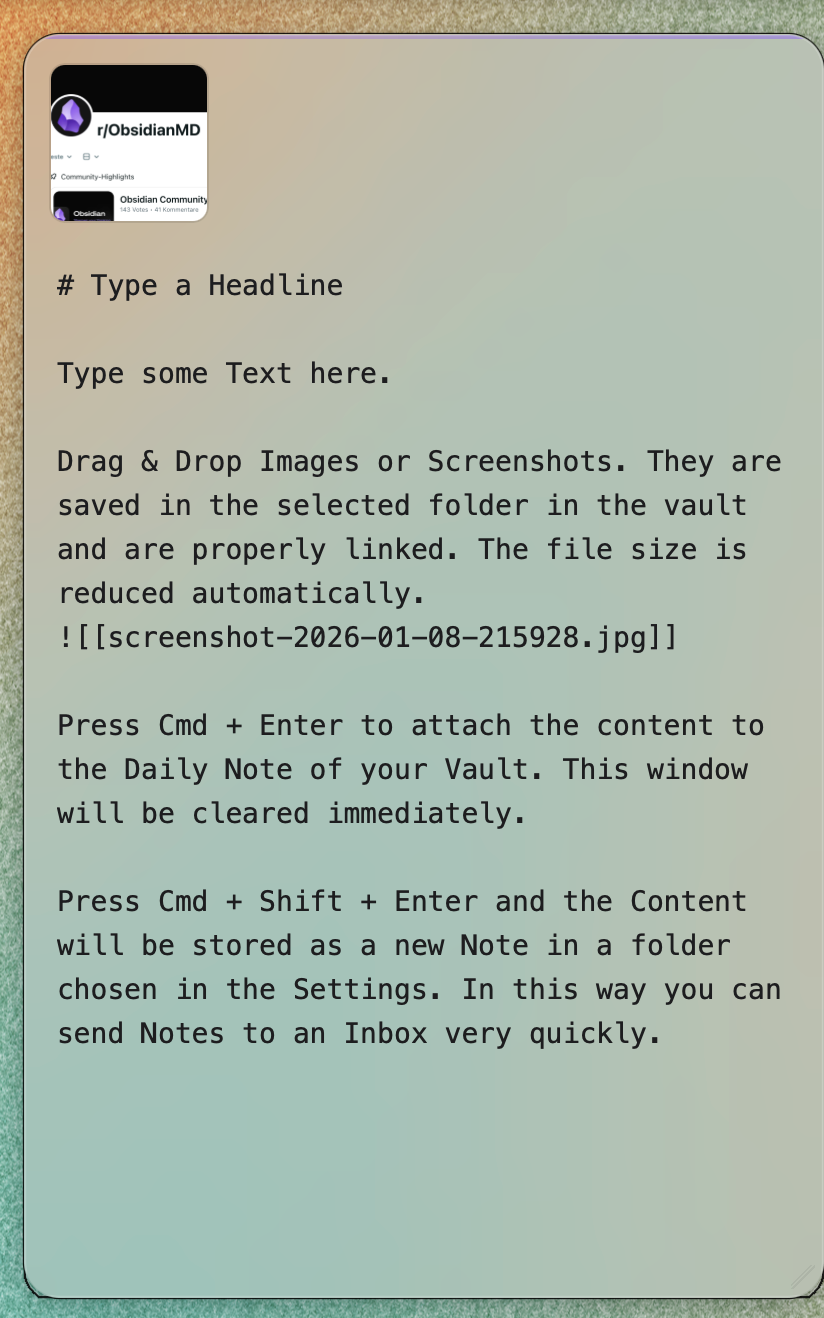
Collector is a macOS menu bar app for fast text and image capture into Obsidian. It lets you save notes, screenshots, and pasted content into your vault without opening the full Obsidian app first.



Features
- Edge activation: move the cursor to a screen edge to open the capture window instantly
- Global shortcut: configurable system-wide hotkey, default
Cmd+Shift+N - Quick capture: append to the Daily Note, any other note or save a new note directly into your vault
- Section targeting — captures land under a specific heading in your Daily Note, top or bottom of the section
- Image capture — drop or paste screenshots into the capture window with automatic compression
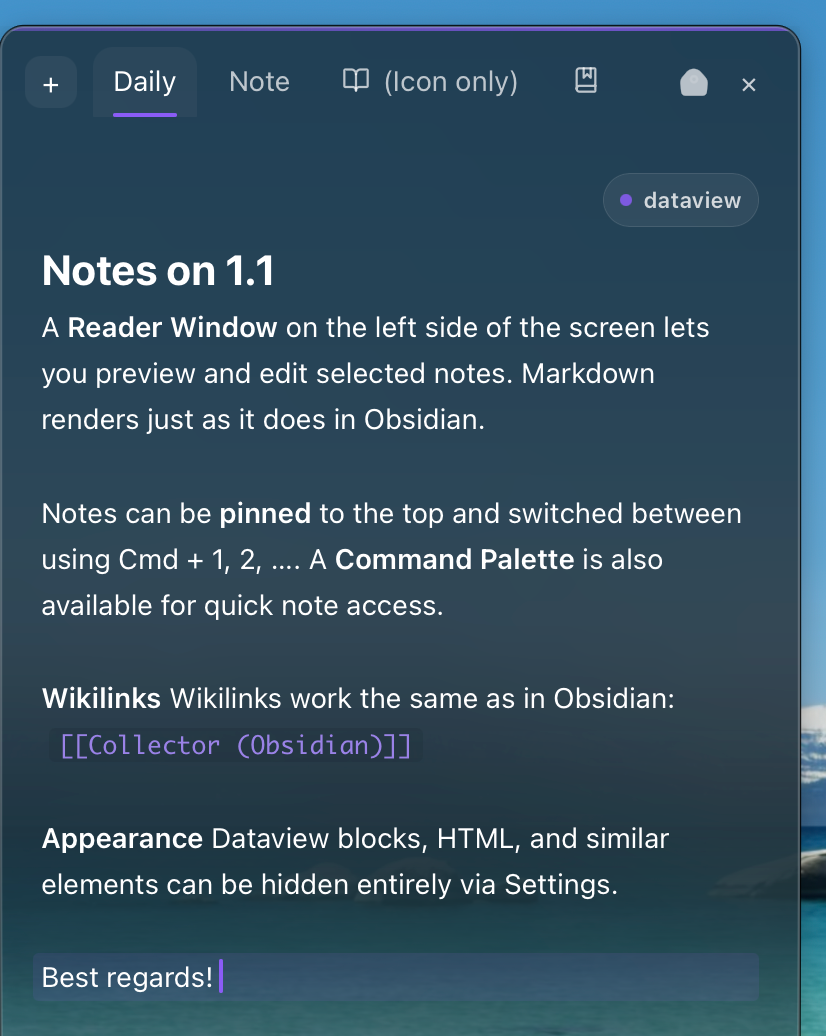
- Reader Panel — tab-based reading view with your Daily Note, pinned notes, and on-demand tabs
- Wikilink navigation — follow [[links]] inside the Reader, open in new tab with Cmd+Click
- Inline search — find and step through matches in the current note with Cmd+F
- Command palette — open any vault note with Cmd+P or Cmd+K
- Content filters — hide frontmatter, Dataview blocks, inline fields, callouts, HTML, and comments
- Menu bar app: runs quietly in the background and stays one shortcut away
| Capture Window | Reader Window |
Settings
- Separate window sizing for the capture window and Reader window
- Custom colors for accents, internal links, and external links
- Adjustable glass effect, transparency, blur, and brightness
- Edge activation controls including cooldown, modifier keys, and excluded apps
- Configurable note paths, templates, image folder, and compression limit
Requirements
- macOS 11.0 (Big Sur) or newer
- Apple Silicon Mac
- Obsidian installed
Changelog
See CHANGELOG.md for the full version history.
Installation
Download
Direct Download
View All Releases
- Open the GitHub Releases page
- Download the latest
.dmgor archive for Apple Silicon - Open the installer and move Collector into
Applications
Note Window
Reader Window
macOS Security on First Launch
Because the app is currently not code-signed or notarized, macOS may block it the first time. That is expected for an open-source desktop app.
To open the app:
- Recommended: right-click the app and choose
Open - Alternative: go to
System Settings > Privacy & Securityand clickOpen Anyway - Terminal fallback:
xattr -dr com.apple.quarantine /Applications/Collector.app
You only need to do this once.
Permissions
Collector needs Accessibility access for global shortcuts.
- Open
System Settings - Go to
Privacy & Security > Accessibility - Unlock the settings
- Enable Collector
- Restart the app
Configuration
Open the menu bar icon and choose Settings....
Path Variables
These placeholders can be used in paths and file names:
YYYY- yearMM- monthDD- dayHH- hourmm- minutess- second
Capture Screenshots
Take a screenshot with Cmd+Shift+4 and drag the floating thumbnail to the configured screen edge. Collector opens, compresses the image, and inserts it into your vault.
Default Shortcuts
| Shortcut | Action |
|---|---|
Cmd+Enter | Save to Daily Note |
Shift+Cmd+Enter | Save as a new note |
Esc | Close without saving |
Cmd+F | Search inside the Reader |
Cmd+P / Cmd+K | Open the Reader command palette |
Troubleshooting
Vault not found
- Make sure the vault name exactly matches the one in Obsidian
- Make sure the vault contains an
.obsidianfolder - Make sure Collector has read and write access
Global shortcut does not work
- Check Accessibility permission
- Restart Collector
- Try a different shortcut if the current one is already in use
Images are not saved
- Check the image folder path in settings
- Make sure the vault is writable
- The target folder is created automatically if it does not exist
Daily Note is not created
- Make sure the configured path format is valid
- Check vault permissions in
System Settings > Privacy & Security
Development
Requirements
- Node.js 18+
- Rust 1.70+
- Xcode Command Line Tools
Setup
git clone https://github.com/YOUR-USERNAME/Collector.git
cd Collector
npm install
Development Mode
npm run tauri dev
Production Build
npm run tauri build
The macOS app bundle is created in src-tauri/target/release/bundle/.
Project Structure
collector/
|-- src/              # Svelte frontend
|-- src-tauri/        # Rust backend and Tauri setup
|-- public/           # Static assets
|-- package.json
`-- vite.config.js
Legal
Collector is licensed under the MIT License.
Obsidian is a trademark of Dynalist Inc. This project is not affiliated with, endorsed by, or sponsored by Dynalist Inc.
How to Install
- Download the ZIP or clone the repository
- Open the folder as a vault in Obsidian (File → Open Vault)
- Obsidian will prompt you to install required plugins
Stats
Stars
17
Forks
1
License
MIT
Last updated 14d ago
Categories
Tags